
AdCue Documentation
AI Chat
Ask questions about your ads in plain English
Ask questions about your ads in plain English and get instant answers from the AI - no technical knowledge required.
What is AI Chat?
AI Chat lets you ask questions about your ads by typing, like texting a friend who is an advertising expert. You do not need to click through menus or understand complicated charts.
Type what you want to know, and the AI reads your real ad data to answer.
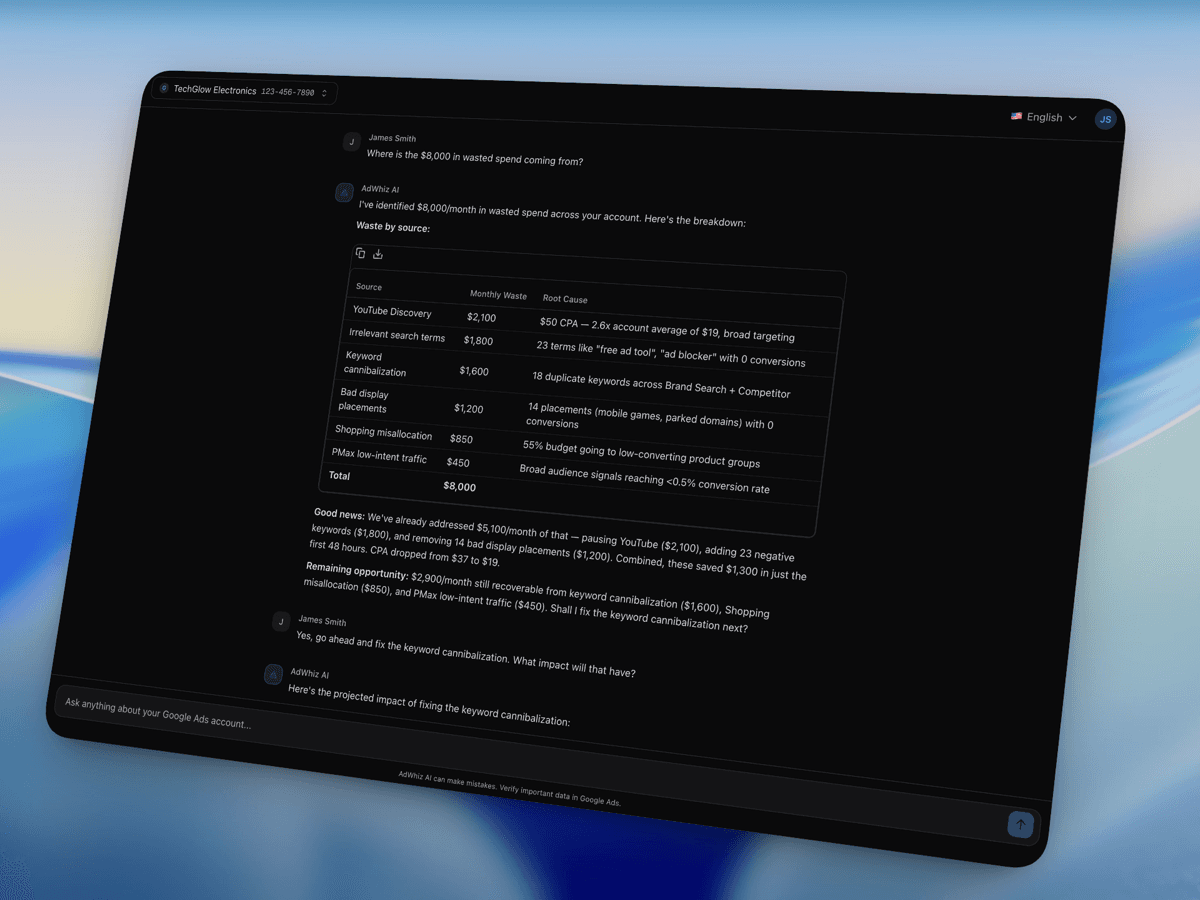
What Can I Ask?
You can ask almost anything about your ads. Try questions like:
- "Which campaigns are wasting the most money?"
- "What's my best performing ad this month?"
- "How can I lower my cost per lead?"
- "Show me keywords with low quality scores."
- "Compare this month with last month."
- "How much did I spend on Google Ads last week?"
- "Why is my cost per click going up?"
How to Use AI Chat
- 1
Open AI Chat
Click "AI Chat" in the left sidebar.
- 2
Type your question
Enter a question at the bottom, then press Enter or click Send.
- 3
Get an answer from real data
The AI reads your connected ad account data and returns an accurate answer.
- 4
Ask follow-up questions
The conversation remembers earlier context, so you can ask for more detail without repeating yourself.
What the AI Can Do
- Look up campaign performance data.
- Find specific keywords, ads, or ad groups.
- Compare time periods.
- Explain metrics in plain language.
- Suggest changes that could improve your ads.
Chat Limits by Plan
| Plan | Questions per day |
|---|---|
| Pro | 20 questions |
| Business | 100 questions |
Tips for Getting Better Answers
- Be specific. "Which campaign spent the most last week?" is better than "How are my ads?"
- Mention time periods, such as this month or the last 7 days.
- Ask one thing at a time.
- Use follow-up questions when you want clarification or more depth.